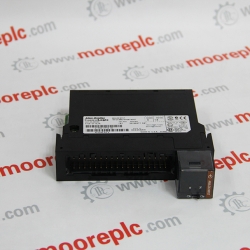
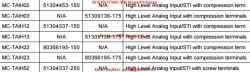
51405038-175 Cc-paih01
For sale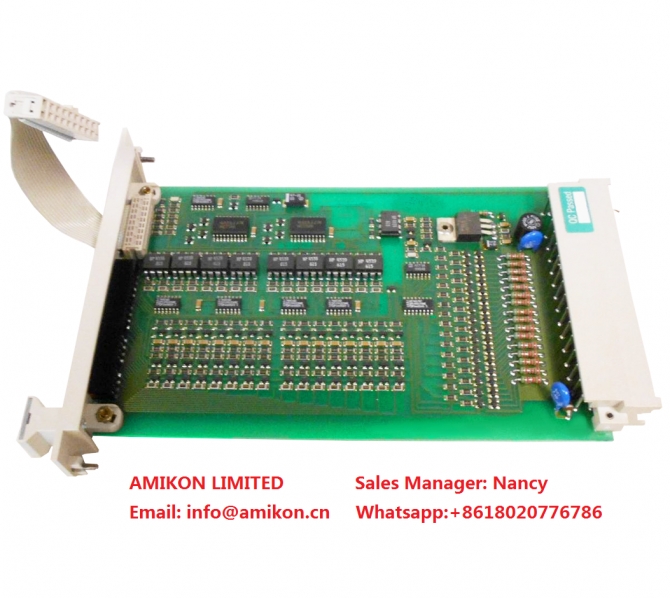
Maine, Maine, China
Published by: AMIKON LIMITED
$
520.00
USD
AMIKON LIMITED
Sales ManagerNancy
Emailinfo@amikon.cn
Wechat + 8618020776786
Skypeonlywnn_1
Website www.amikon.cn
Advantage Brands
Allen Bradley Reliance,SLC500/1747/1746,Logix5000/1756,PLC-5/1771/1785
ABB DSQC series,H&B Freelance,Bailey
Bently Nevada 3500 System spare parts ,3300 System spare parts
Yokogawa DCS
Honeywell DCS
Ovation 1C31234G01/1C31227G01/1C31166G01/1C31116G01/1C31189G01 etc DCS System spare
GE IC693/IC697/IS200/DS200/IS215
Triconex 3700A/3805E/3604E/3503E/3504E/3008/4119A/8312/3703E/3511/
Schneider 140 PLC series 140CPU67160/140CRP93200/140CPS11420
AMIKON LIMITED to the professional, integrity, innovation, cooperation, win-win
business philosophy, and constantly develop new products, to provide quality services, in order
to maximize the pursuit of customer satisfaction, and constantly open up new areas of business for customers.
51405038-175 CC-PAIH01
51405038-175 CC-PAIH01
51405038-175 CC-PAIH01
Introduction
If you require the assistance of ABB support personnel in trouble shooting your system, you
may file a formal error report as detailed below.
In order for the ABB support personnel to better solve your problem, you may attach a special
diagnostics file that the system generates on demand.
The diagnostics file includes
• Event log A list of all system events.
• Backup A backup of the system taken for diagnostics purposes.
• System information Internal system information useful to ABB support personnel.
NOTE that it is not required to create or attach any additional files to the error report if not
explicitely requested by the support personnel!
Creating the diagnostics file
The diagnostics file is created manually as detailed below.
Action
1. Tap ABB, then Control Panel and then Diagnostics.
A display is shown
en0500002175
2. Specify the name you want for the diagnostics file, the save folder of it and tap OK. The
default save folder is C/Temp, but any folder may be selected, for instance an
externally connected USB memory.
This may take a couple of minutes, while “Creating file. Please wait!” is displayed.
3. To shorten file transfer time, you may compress the data into a zip-file.
4. Write a regular e-mail addressed to your local ABB support personnel, and make sure
to include the following information
• Robot serial number
• RobotWare version
• External options
• A written fault description. The more detailed, the easier for the ABB support
personnel to assist you.
• if available, enclose the license key.
• attach the diagnostics file!
3HAC030126-001
3HAC030127-001
3HAC030127-002
3HAC030127-003
3HAC030132-002
3HAC030165-001
3HAC030180-001
3HAC030198-001
3HAC030198-002
3HAC030198-003
3HAC030205-002
3HAC030208-001
3HAC030211-004
3HAC030215-003
3HAC030216-003
3HAC030219-001
3HAC030222-001
3HAC030222-003
3HAC030223-001
3HAC030224-001
3HAC030234-001
3HAC030234-002
3HAC030281-003
3HAC030301-001
3HAC030317-001
3HAC030324-002
3HAC030344-001
3HAC030349-001
3HAC030353-001
3HAC030354-001
3HAC030384-001
3HAC030388-001
3HAC030389-001
3HAC030414-001
3HAC030424-001
3HAC030430-001
3HAC030433-001
3HAC030439-001
3HAC0305-1
3HAC030512-001
3HAC030544-002
3HAC030544-003
3HAC030548-002
3HAC030548-003
3HAC030548-004
3HAC030561-001
3HAC030561-002
3HAC030573-001
3HAC030575-001
3HAC030576-001
3HAC030638-001
3HAC030638-004
3HAC030647-001
3HAC030647-002
3HAC030652-001
3HAC030656-001
3HAC030656-002
3HAC030657-001
3HAC030657-002
3HAC030662-001
3HAC030663-001
3HAC030701-001
3HAC030756-001
3HAC030764-001
3HAC030765-001
3HAC030770-001
3HAC030789-001
3HAC030790-001
3HAC030791-001
3HAC030792-001
3HAC030793-001
3HAC030794-001
3HAC030800-001
3HAC030817-006
3HAC030825-001
3HAC030826-001
3HAC030828-001
3HAC030829-001
3HAC030840-001
3HAC030842-001
3HAC030848-001
3HAC030849-001
3HAC030863-001
3HAC030863-002
3HAC030866-001
3HAC030867-001
3HAC030868-001
3HAC030882-001
3HAC030884-001
3HAC030885-001
3HAC030886-001
3HAC030887-001
3HAC030888-001
3HAC030923-001
3HAC030936-001
3HAC030979-001
3HAC031002-005
3HAC031018-002
3HAC031021-001
3HAC031022-001
3HAC031023-001
3HAC031024-001
3HAC031026-001
3HAC031074-004
3HAC031119-001
3HAC031121-001
3HAC031122-001
3HAC031123-001
3HAC031126-001
3HAC031133-001
3HAC031134-001
Sales ManagerNancy
Emailinfo@amikon.cn
Wechat + 8618020776786
Skypeonlywnn_1
Website www.amikon.cn
Advantage Brands
Allen Bradley Reliance,SLC500/1747/1746,Logix5000/1756,PLC-5/1771/1785
ABB DSQC series,H&B Freelance,Bailey
Bently Nevada 3500 System spare parts ,3300 System spare parts
Yokogawa DCS
Honeywell DCS
Ovation 1C31234G01/1C31227G01/1C31166G01/1C31116G01/1C31189G01 etc DCS System spare
GE IC693/IC697/IS200/DS200/IS215
Triconex 3700A/3805E/3604E/3503E/3504E/3008/4119A/8312/3703E/3511/
Schneider 140 PLC series 140CPU67160/140CRP93200/140CPS11420
AMIKON LIMITED to the professional, integrity, innovation, cooperation, win-win
business philosophy, and constantly develop new products, to provide quality services, in order
to maximize the pursuit of customer satisfaction, and constantly open up new areas of business for customers.
51405038-175 CC-PAIH01
51405038-175 CC-PAIH01
51405038-175 CC-PAIH01
Introduction
If you require the assistance of ABB support personnel in trouble shooting your system, you
may file a formal error report as detailed below.
In order for the ABB support personnel to better solve your problem, you may attach a special
diagnostics file that the system generates on demand.
The diagnostics file includes
• Event log A list of all system events.
• Backup A backup of the system taken for diagnostics purposes.
• System information Internal system information useful to ABB support personnel.
NOTE that it is not required to create or attach any additional files to the error report if not
explicitely requested by the support personnel!
Creating the diagnostics file
The diagnostics file is created manually as detailed below.
Action
1. Tap ABB, then Control Panel and then Diagnostics.
A display is shown
en0500002175
2. Specify the name you want for the diagnostics file, the save folder of it and tap OK. The
default save folder is C/Temp, but any folder may be selected, for instance an
externally connected USB memory.
This may take a couple of minutes, while “Creating file. Please wait!” is displayed.
3. To shorten file transfer time, you may compress the data into a zip-file.
4. Write a regular e-mail addressed to your local ABB support personnel, and make sure
to include the following information
• Robot serial number
• RobotWare version
• External options
• A written fault description. The more detailed, the easier for the ABB support
personnel to assist you.
• if available, enclose the license key.
• attach the diagnostics file!
3HAC030126-001
3HAC030127-001
3HAC030127-002
3HAC030127-003
3HAC030132-002
3HAC030165-001
3HAC030180-001
3HAC030198-001
3HAC030198-002
3HAC030198-003
3HAC030205-002
3HAC030208-001
3HAC030211-004
3HAC030215-003
3HAC030216-003
3HAC030219-001
3HAC030222-001
3HAC030222-003
3HAC030223-001
3HAC030224-001
3HAC030234-001
3HAC030234-002
3HAC030281-003
3HAC030301-001
3HAC030317-001
3HAC030324-002
3HAC030344-001
3HAC030349-001
3HAC030353-001
3HAC030354-001
3HAC030384-001
3HAC030388-001
3HAC030389-001
3HAC030414-001
3HAC030424-001
3HAC030430-001
3HAC030433-001
3HAC030439-001
3HAC0305-1
3HAC030512-001
3HAC030544-002
3HAC030544-003
3HAC030548-002
3HAC030548-003
3HAC030548-004
3HAC030561-001
3HAC030561-002
3HAC030573-001
3HAC030575-001
3HAC030576-001
3HAC030638-001
3HAC030638-004
3HAC030647-001
3HAC030647-002
3HAC030652-001
3HAC030656-001
3HAC030656-002
3HAC030657-001
3HAC030657-002
3HAC030662-001
3HAC030663-001
3HAC030701-001
3HAC030756-001
3HAC030764-001
3HAC030765-001
3HAC030770-001
3HAC030789-001
3HAC030790-001
3HAC030791-001
3HAC030792-001
3HAC030793-001
3HAC030794-001
3HAC030800-001
3HAC030817-006
3HAC030825-001
3HAC030826-001
3HAC030828-001
3HAC030829-001
3HAC030840-001
3HAC030842-001
3HAC030848-001
3HAC030849-001
3HAC030863-001
3HAC030863-002
3HAC030866-001
3HAC030867-001
3HAC030868-001
3HAC030882-001
3HAC030884-001
3HAC030885-001
3HAC030886-001
3HAC030887-001
3HAC030888-001
3HAC030923-001
3HAC030936-001
3HAC030979-001
3HAC031002-005
3HAC031018-002
3HAC031021-001
3HAC031022-001
3HAC031023-001
3HAC031024-001
3HAC031026-001
3HAC031074-004
3HAC031119-001
3HAC031121-001
3HAC031122-001
3HAC031123-001
3HAC031126-001
3HAC031133-001
3HAC031134-001
Views: 237
Report Ad
Report type *
Your Email *
Report Message *
Please stay SAFE
- DO NOT SEND MONEY USING Western Union or MoneyGram TO PERSONS OR COMPANIES YOU DO NOT KNOW. WE WON'T BE ABLE TO GET YOUR MONEY BACK.
- Do not extend payment to anyone you have not met in person
- Never give out financial info (bank account, social security, paypal account, etc)
- Keep things local by meeting face to face
- Beware offers involving shipping - deal with locals you can meet in person
- Transactions are between users only, no third party provides a "guarantee"
- Don't carry large sums of money with you the first time you meet someone. For expensive items, go to the bank with the seller to make the payment
- Our advice is to pay only when the product is delivered (cash on delivery)
- Most scammers will try to lure you away from our website. Perhaps even by adding email addresses or phone numbers to their pictures or message. They do it to avoid our checks. So avoid them.
- DEAL LOCALLY, FACE-TO-FACE - follow this one rule and avoid 99% of scam attempts.
- IMPORTANT - Made live phone video calls with the owner to ensure that the owner has the product listed.

Recent ads »
Electronics » Other Electronics