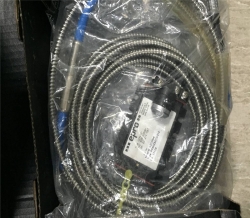
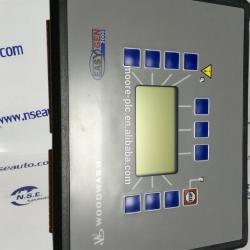
51405047-175 Cc-pcf901
For sale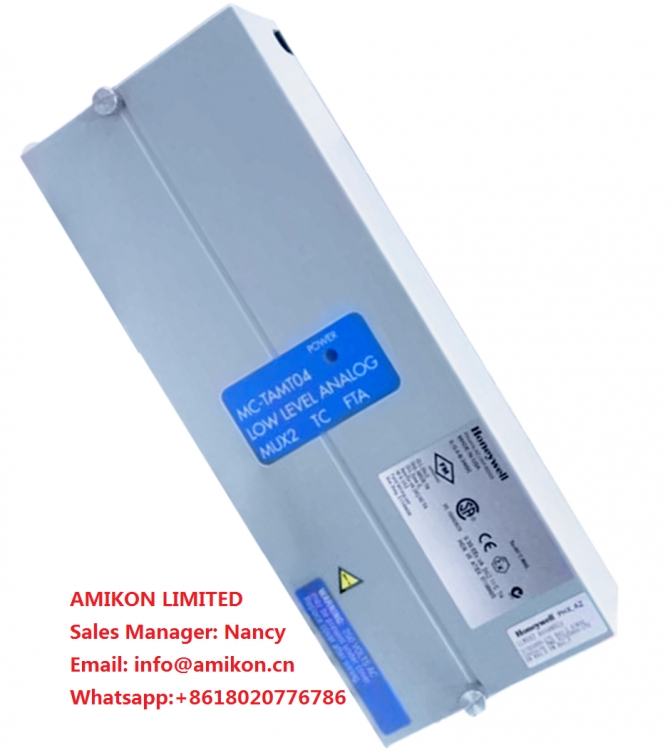
Maine, Maine, China
Published by: AMIKON LIMITED
$
520.00
USD
AMIKON LIMITED
Sales ManagerNancy
Emailinfo@amikon.cn
Wechat + 8618020776786
Skypeonlywnn_1
Website www.amikon.cn
Advantage Brands
Allen Bradley Reliance,SLC500/1747/1746,Logix5000/1756,PLC-5/1771/1785
ABB DSQC series,H&B Freelance,Bailey
Bently Nevada 3500 System spare parts ,3300 System spare parts
Yokogawa DCS
Honeywell DCS
Ovation 1C31234G01/1C31227G01/1C31166G01/1C31116G01/1C31189G01 etc DCS System spare
GE IC693/IC697/IS200/DS200/IS215
Triconex 3700A/3805E/3604E/3503E/3504E/3008/4119A/8312/3703E/3511/
Schneider 140 PLC series 140CPU67160/140CRP93200/140CPS11420
AMIKON LIMITED to the professional, integrity, innovation, cooperation, win-win
business philosophy, and constantly develop new products, to provide quality services, in order
to maximize the pursuit of customer satisfaction, and constantly open up new areas of business for customers.
51405047-175 CC-PCF901
51405047-175 CC-PCF901
51405047-175 CC-PCF901
ghts reserved.
2.4 Tips and Tricks while trouble shooting
2.4.1. Trouble shooting strategies
Isolate the fault!
Any fault may give rise to a number of symptoms, for which error event log messages may
or may not be created. In order to effectively eliminate the fault, it is vital to distinguish the
original symptom from the consequential ones.
A help in isolating the fault may be creating a historical fault log as specified in section Make
a historical fault log! on page 29.
Split the fault chain in two!
When trouble shooting any system, a good practice is to split the fault chain in two. This
means
• identify the complete chain.
• decide and measure the expected value at the middle of the chain.
• use this to determine in which half the fault is caused.
• split this half into two new halves, etc.
• finally, a single component may be isolated. The faulty one.
Example
A specific IRB 7600 installation has a 12 VDC power supply to a tool at the manipulator
wrist. This tool does not work, and when checked, there is no 12 VDC supply to it.
• Check at the manipulator base to see if there is 12 VDC supply. Measurement show
there are no 12 VDC supply. (Reference Circuit Diagram in the Product manual,
IRC5)
• Check any connector between the manipulator and the power supply in the controller.
Measurement show there are no 12 VDC supply. (Reference Circuit Diagram in the
Product manual, IRC5)
• Check the power supply unit LED. (Reference Indications on page 65)
Check communication parameters and cables!
The most common causes of errors in serial communication are
• Faulty cables (e.g. send and receive signals are mixed up)
• Transfer rates (baud rates)
• Data widths that are incorrectly set.
Check the software versions!
Make sure the RobotWare and other software run by the system are the correct version.
Certain versions are not compatible with certain hardware combinations.
Also, make a note of all software versions run, since this will be useful information to the
ABB support people.
How to file a complete error report to your local ABB service personnel is detailed in section
3HAC024222-001
3HAC024224-001
3HAC024226-001
3HAC024231-001
3HAC024244-001
3HAC024244-005
3HAC024248-001
3HAC024248-002
3HAC024254-001
3HAC024254-005
3HAC024254-007
3HAC024254-008
3HAC024254-009
3HAC024254-010
3HAC024256-001
3HAC024257-001
3HAC024278-001
3HAC024286-001
3HAC024298-001
3HAC024316-004
3HAC024316-005
3HAC024316-006
3HAC024320-001
3HAC024322-001
3HAC024323-001
3HAC024328-001
3HAC024328-005
3HAC024330-001
3HAC024330-004
3HAC024347-001
3HAC024348-001
3HAC024350-001
3HAC024357-001
3HAC024360-001
3HAC024365-001
3HAC024367-001
3HAC024370-001
3HAC024371-001
3HAC024382-001
3HAC024383-001
3HAC024383-002
3HAC024384-001
3HAC024385-001
3HAC024386-001
3HAC024425-001
3HAC0244-3
3HAC024432-001
3HAC024435-001
3HAC024435-002
3HAC024438-001
3HAC024439-001
3HAC0244-4
3HAC024440-001
3HAC024447-001
3HAC024449-003
3HAC024457-001
3HAC024470-001
3HAC024470-005
3HAC024470-006
3HAC024470-007
3HAC024472-001
3HAC024476-001
3HAC024479-001
3HAC024488-001
3HAC024494-001
3HAC024495-001
3HAC024496-001
3HAC024500-001
3HAC024503-001
3HAC024522-001
3HAC024526-003
3HAC024531-001
3HAC024532-001
3HAC024541-001
3HAC024546-001
3HAC024559-001
3HAC024563-003
3HAC024577-001
3HAC024579-002
3HAC024588-001
3HAC024589-004
Sales ManagerNancy
Emailinfo@amikon.cn
Wechat + 8618020776786
Skypeonlywnn_1
Website www.amikon.cn
Advantage Brands
Allen Bradley Reliance,SLC500/1747/1746,Logix5000/1756,PLC-5/1771/1785
ABB DSQC series,H&B Freelance,Bailey
Bently Nevada 3500 System spare parts ,3300 System spare parts
Yokogawa DCS
Honeywell DCS
Ovation 1C31234G01/1C31227G01/1C31166G01/1C31116G01/1C31189G01 etc DCS System spare
GE IC693/IC697/IS200/DS200/IS215
Triconex 3700A/3805E/3604E/3503E/3504E/3008/4119A/8312/3703E/3511/
Schneider 140 PLC series 140CPU67160/140CRP93200/140CPS11420
AMIKON LIMITED to the professional, integrity, innovation, cooperation, win-win
business philosophy, and constantly develop new products, to provide quality services, in order
to maximize the pursuit of customer satisfaction, and constantly open up new areas of business for customers.
51405047-175 CC-PCF901
51405047-175 CC-PCF901
51405047-175 CC-PCF901
ghts reserved.
2.4 Tips and Tricks while trouble shooting
2.4.1. Trouble shooting strategies
Isolate the fault!
Any fault may give rise to a number of symptoms, for which error event log messages may
or may not be created. In order to effectively eliminate the fault, it is vital to distinguish the
original symptom from the consequential ones.
A help in isolating the fault may be creating a historical fault log as specified in section Make
a historical fault log! on page 29.
Split the fault chain in two!
When trouble shooting any system, a good practice is to split the fault chain in two. This
means
• identify the complete chain.
• decide and measure the expected value at the middle of the chain.
• use this to determine in which half the fault is caused.
• split this half into two new halves, etc.
• finally, a single component may be isolated. The faulty one.
Example
A specific IRB 7600 installation has a 12 VDC power supply to a tool at the manipulator
wrist. This tool does not work, and when checked, there is no 12 VDC supply to it.
• Check at the manipulator base to see if there is 12 VDC supply. Measurement show
there are no 12 VDC supply. (Reference Circuit Diagram in the Product manual,
IRC5)
• Check any connector between the manipulator and the power supply in the controller.
Measurement show there are no 12 VDC supply. (Reference Circuit Diagram in the
Product manual, IRC5)
• Check the power supply unit LED. (Reference Indications on page 65)
Check communication parameters and cables!
The most common causes of errors in serial communication are
• Faulty cables (e.g. send and receive signals are mixed up)
• Transfer rates (baud rates)
• Data widths that are incorrectly set.
Check the software versions!
Make sure the RobotWare and other software run by the system are the correct version.
Certain versions are not compatible with certain hardware combinations.
Also, make a note of all software versions run, since this will be useful information to the
ABB support people.
How to file a complete error report to your local ABB service personnel is detailed in section
3HAC024222-001
3HAC024224-001
3HAC024226-001
3HAC024231-001
3HAC024244-001
3HAC024244-005
3HAC024248-001
3HAC024248-002
3HAC024254-001
3HAC024254-005
3HAC024254-007
3HAC024254-008
3HAC024254-009
3HAC024254-010
3HAC024256-001
3HAC024257-001
3HAC024278-001
3HAC024286-001
3HAC024298-001
3HAC024316-004
3HAC024316-005
3HAC024316-006
3HAC024320-001
3HAC024322-001
3HAC024323-001
3HAC024328-001
3HAC024328-005
3HAC024330-001
3HAC024330-004
3HAC024347-001
3HAC024348-001
3HAC024350-001
3HAC024357-001
3HAC024360-001
3HAC024365-001
3HAC024367-001
3HAC024370-001
3HAC024371-001
3HAC024382-001
3HAC024383-001
3HAC024383-002
3HAC024384-001
3HAC024385-001
3HAC024386-001
3HAC024425-001
3HAC0244-3
3HAC024432-001
3HAC024435-001
3HAC024435-002
3HAC024438-001
3HAC024439-001
3HAC0244-4
3HAC024440-001
3HAC024447-001
3HAC024449-003
3HAC024457-001
3HAC024470-001
3HAC024470-005
3HAC024470-006
3HAC024470-007
3HAC024472-001
3HAC024476-001
3HAC024479-001
3HAC024488-001
3HAC024494-001
3HAC024495-001
3HAC024496-001
3HAC024500-001
3HAC024503-001
3HAC024522-001
3HAC024526-003
3HAC024531-001
3HAC024532-001
3HAC024541-001
3HAC024546-001
3HAC024559-001
3HAC024563-003
3HAC024577-001
3HAC024579-002
3HAC024588-001
3HAC024589-004
Views: 182
Report Ad
Report type *
Your Email *
Report Message *
Please stay SAFE
- DO NOT SEND MONEY USING Western Union or MoneyGram TO PERSONS OR COMPANIES YOU DO NOT KNOW. WE WON'T BE ABLE TO GET YOUR MONEY BACK.
- Do not extend payment to anyone you have not met in person
- Never give out financial info (bank account, social security, paypal account, etc)
- Keep things local by meeting face to face
- Beware offers involving shipping - deal with locals you can meet in person
- Transactions are between users only, no third party provides a "guarantee"
- Don't carry large sums of money with you the first time you meet someone. For expensive items, go to the bank with the seller to make the payment
- Our advice is to pay only when the product is delivered (cash on delivery)
- Most scammers will try to lure you away from our website. Perhaps even by adding email addresses or phone numbers to their pictures or message. They do it to avoid our checks. So avoid them.
- DEAL LOCALLY, FACE-TO-FACE - follow this one rule and avoid 99% of scam attempts.
- IMPORTANT - Made live phone video calls with the owner to ensure that the owner has the product listed.

Recent ads »
Electronics » Other Electronics