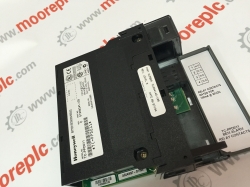
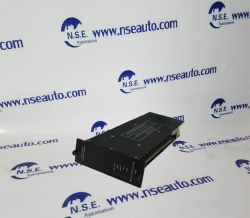
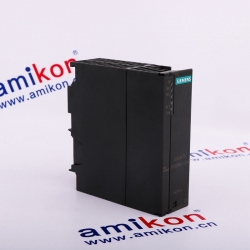
Yokogawa Adv551-p03 S2
For sale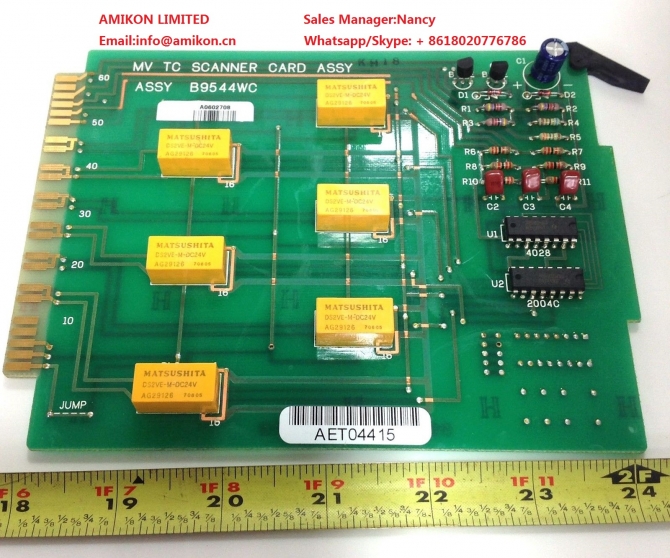
Alabama, Auburn, hongkong
Published by: AMIKON LIMITED
$
520.00
USD
AMIKON LIMITED
Sales ManagerNancy
Emailinfo@amikon.cn
Whatsapp/Skype + 8618020776786
Website www.amikon.cn
Advantage Brands
Allen Bradley Reliance,SLC500/1747/1746,Logix5000/1756,PLC-5/1771/1785
ABB DSQC series,H&B Freelance,Bailey
Bently Nevada 3500 System spare parts ,3300 System spare parts
Yokogawa DCS
Honeywell DCS
Ovation 1C31234G01/1C31227G01/1C31166G01/1C31116G01/1C31189G01 etc DCS System spare
GE IC693/IC697/IS200/DS200/IS215
Triconex 3700A/3805E/3604E/3503E/3504E/3008/4119A/8312/3703E/3511/
Schneider 140 PLC series 140CPU67160/140CRP93200/140CPS11420
AMIKON LIMITED to the professional, integrity, innovation, cooperation, win-win
business philosophy, and constantly develop new products, to provide quality services, in order
to maximize the pursuit of customer satisfaction, and constantly open up new areas of business for customers.
Yokogawa ADV551-P03 S2
Yokogawa ADV551-P03 S2
Yokogawa ADV551-P03 S2
1 When enough messages to fill a printer page have been generated, the page is automatically printed.
Immediate message printing functions can be assigned to a function key, so you can printout at any
time by pressing the key. A dot impact printer (ESC/P command set) can be used to print individual
messages as they occur. (option)
Figure Opening Process Alarm Window to Acknowledge Alarm
When enough messages to fill a printer page have been generated, the page is automatically printed.
Immediate message printing functions can be assigned to a function key, so you can printout at any
time by pressing the key. A dot impact printer (ESC/P command set) can be used to print individual
messages as they occur. (option)
Yokogawa ADV551-P03 S2
Yokogawa ADV551-P03 S2
Yokogawa ADV551-P03 S2
Print Screen Functions
Graphic and trend windows may be printed using the print screen functions. Click the print screen
button in the system message window or press the print screen key on the operation keyboard to
print out the window on your color printer or laser printer. You can reverse black and white. You
can save a window image as a file, for later printing.
This section describes the use of the following windows for process monitoring and
operation
• Graphic windows
• Tuning windows
• Trend windows
• Process alarm windows
• Operator guide windows
• Message monitoring windows
IS200IGDMH IGBT GATE DRIVER
IS200IGDMH1B IGBT GATE DRIVER
IS200IGEHG IGBT INTERFACE PASSI
IS200IGEHG1A IGBT INTERFACE PASSI
IS200IGPAG GATE DRIVE POWER SUP
IS200IGPAG2A GATE DRIVE POWER SUP
IS200IGPAG2AED GATE DRIVE POWER SUPPLY
IS200ISBAH PC104_INSYNC
IS200ISBAH1A PC104_INSYNC
IS200ISBBG INSYNC BUS BYPASS
IS200ISBBG1A INSYNC BUS BYPASS
IS200ISBBG2A INSYNC BUS BYPASS
IS200ISBDG INSYNC DELAY
IS200ISBDG1A INSYNC DELAY
IS200ISBEH INSYNC BUS EXTENDER
IS200ISBEH1A INSYNC BUS EXTENDER
IS200ISBEH2A INSYNC BUS EXTENDER
IS200IVFBG BD,PWM-3 CURRETN FEEDBACK
IS200IVFBG1A BD,PWM-3 CURRETN FEEDBACK
IS200JGNDG
IS200JGNDG1A
IS200JGNDG1AAA GROUND TERMINATION CARD [*12]
IS200JPDBG AC PDM
IS200JPDBG1A AC PDM
IS200JPDDG DC PDM
IS200JPDDG1A DC PDM
IS200JPDLG
IS200JPDLG1A
IS200JPDLG1AAC CIRCUIT BOARD
IS200JPDMG 28V DC PDM
IS200JPDMG1A 28V DC PDM
IS200JPDPG I/O PACK PDM
IS200JPDPG1A I/O PACK PDM
IS200JPDSG PWR DITRIBUTION CARD MK
IS200JPDSG1A PWR DITRIBUTION CARD MK
IS200PICHG BD,PHASE INTERFACE
IS200PICHG1A BD,PHASE INTERFACE
IS200RAPAG BD,RACK POWER SUPPLY
IS200RAPAG1A BD,RACK POWER SUPPLY
IS200RAPAG1B BD,RACK POWER SUPPLY
IS200RCSAG BD,1800A RC SNUBBER
IS200RCSAG1A BD,1800A RC SNUBBER
IS200SCNVG SCR DIODE BRIDGE CON
IS200SCNVG1A SCR DIODE BRIDGE CON
IS200SCTLG STATIC CHARGE CONTRO
IS200SCTLG1A STATIC CHARGE CONTRO
IS200SSCAH COMMUNCATION TERMIN
IS200SSCAH1A COMMUNCATION TERMIN
IS200TBAI TERM. BOARD, ANALOG
IS200TBAIH TERM. BOARD, ANALOG INPUT
IS200TBAIH1A TERM. BOARD, ANALOG INPUT
IS200TBAIH1B TERMINATION BOARD,ANALOG
IS200TBAIH1C TERM. BOARD, ANALOG
Views: 174
Report Ad
Report type *
Your Email *
Report Message *
Please stay SAFE
- DO NOT SEND MONEY USING Western Union or MoneyGram TO PERSONS OR COMPANIES YOU DO NOT KNOW. WE WON'T BE ABLE TO GET YOUR MONEY BACK.
- Do not extend payment to anyone you have not met in person
- Never give out financial info (bank account, social security, paypal account, etc)
- Keep things local by meeting face to face
- Beware offers involving shipping - deal with locals you can meet in person
- Transactions are between users only, no third party provides a "guarantee"
- Don't carry large sums of money with you the first time you meet someone. For expensive items, go to the bank with the seller to make the payment
- Our advice is to pay only when the product is delivered (cash on delivery)
- Most scammers will try to lure you away from our website. Perhaps even by adding email addresses or phone numbers to their pictures or message. They do it to avoid our checks. So avoid them.
- DEAL LOCALLY, FACE-TO-FACE - follow this one rule and avoid 99% of scam attempts.
- IMPORTANT - Made live phone video calls with the owner to ensure that the owner has the product listed.

Recent ads »
Electronics » Other Electronics